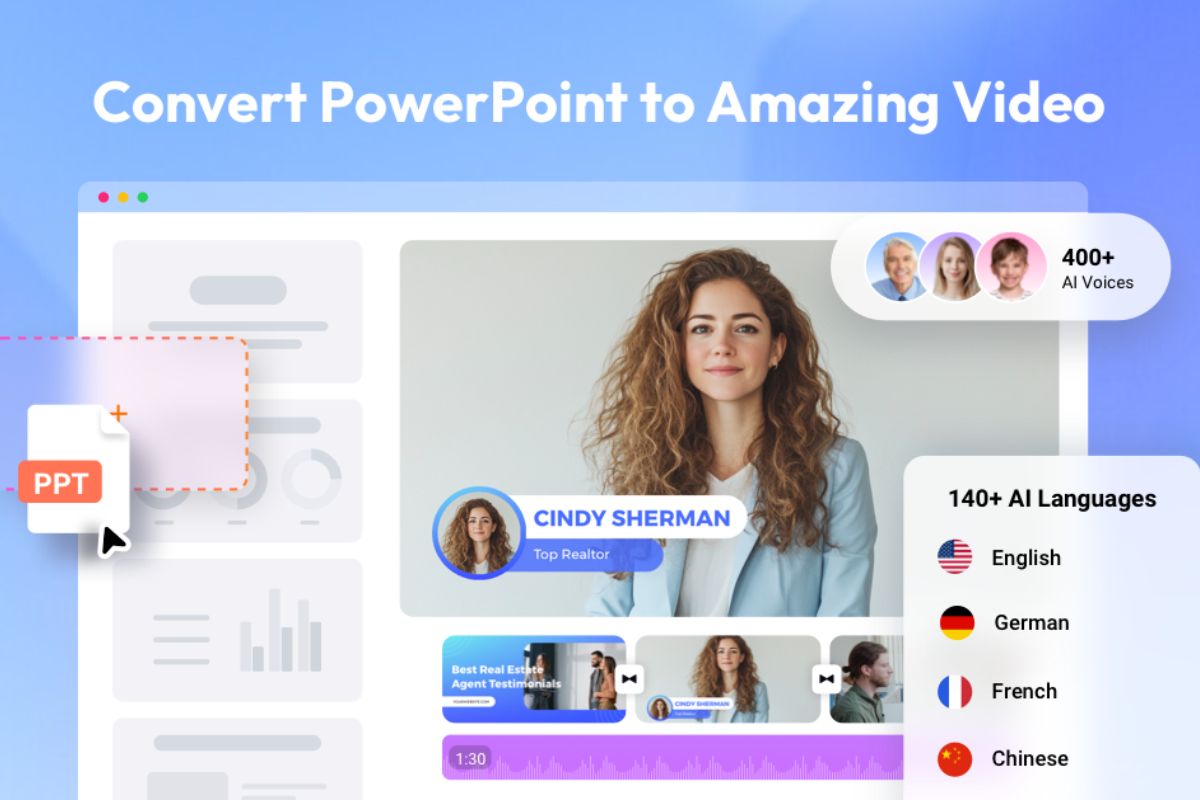
FlexClip has launched a new AI tool that converts PowerPoint presentations into videos. We tested it using a 10-slide file to see how it performs in real use. The goal was simple: turn slides into a ready-to-publish video without editing work.
The upload process was smooth. We added the PPT file, and the tool started processing right away. Within seconds, each slide turned into a separate video scene.
Transitions, basic animations, and timing were added automatically. We did not need to adjust settings before starting. This makes it easy if you want quick results without setup. AI script and voiceover
What is FlexClip AI PPT to Video?
FlexClip AI PPT to Video is an AI-powered tool that converts PowerPoint and PDF files into fully editable video projects. Instead of creating a simple screen recording, the tool breaks down the file and rebuilds it as a layered video. This gives you control over each element, including text, visuals, timing, and audio.
The workflow starts by turning your presentation into a video timeline. The AI adds voiceover, subtitles, and basic styling. You can then refine the video using built-in editing tools. This makes it easier to move from a static presentation to a video format without starting from scratch.
One of the main strengths of the tool is its layout analysis. It reads the structure of each slide, identifies headings, text blocks, and images, and arranges them into a logical sequence. The result feels closer to a designed video rather than a direct conversion.
The tool also handles narration. It can generate scripts from speaker notes and pair them with AI voiceovers. With access to over 400 voices, you can create a full narration track without recording audio yourself. This helps when you need quick output or do not have recording equipment.
FlexClip also supports multiple languages. You can take one presentation and create versions in over 140 languages. This is useful if you want to reach a wider audience without rewriting content manually.
Output quality
The final video looked clean and usable.
Text stayed readable.
Scene transitions were smooth.
Visual flow felt natural.
The tool supports HD and higher resolutions. This is useful if you plan to publish on websites or social platforms.
FlexClip has added new AI models such as Google Veo, Kling, and Hailuo. These improve motion and scene flow. In my test, animations looked more fluid than older slide-to-video tools. Scenes did not feel static. This helps when you want to hold viewer attention.
Performance and findings
FlexClip AI PPT to Video works well because it focuses on content structure and timing. In most video workflows, syncing visuals with voice takes the most time. This tool handles that step on its own. Slide changes match the narration without manual adjustment.
In real use, your role shifts. You stop building everything from scratch. You review and refine what the AI creates. Instead of spending hours on a timeline, you spend a few minutes checking script, voice, and flow before export.
| Pros | Cons |
|---|---|
| Saves time by turning hours of editing into minutes of review | Large files (50+ slides) may need splitting |
| AI voice quality works for marketing and explainers | Technical content may need manual script correction |
| Auto-captions ready for social media viewing | Limited control for highly detailed edits |
This tool removes several steps from video creation:
- No manual editing
- No need to record voiceovers
- No need to search for visuals
You upload a file and get a video in minutes. This is useful if you work with presentations often and want to reuse them as video content.
The tool still has some limits.
Limited control over design and timing. AI voice lacks a natural tone. Not suitable for complex editing.
If you need detailed control, you will still need a full video editor.
Final take
At the same time, the tool has limits. You get less control over scene design and timing. The AI voice may need replacement if you want a more natural sound. It is not suitable for detailed editing or complex storytelling. You may still need a full video editor for advanced work.
After using it, the value is clear. It focuses on speed and ease of use. You can turn a presentation into a video in minutes. If your goal is quick output, it works well. If you want full creative control, it may feel basic.
Support Us To Sustain Independent Environmental Journalism In India.
More Ground Reports
Panna: Villagers Protest Irrigation Projects, Demand Documents, and Transparency
Fulkai Maai Demands the Return of Crèches for Malnourished Korku Children
Stay Connected With Ground Report For Underreported Environmental Stories.
Support Us To Sustain Independent Environmental Journalism In India.